Apple Previews iOS 27.2: Group FaceTime Dual Capture, Redesigned Health App, and Contextual AI Features Head to iPhones

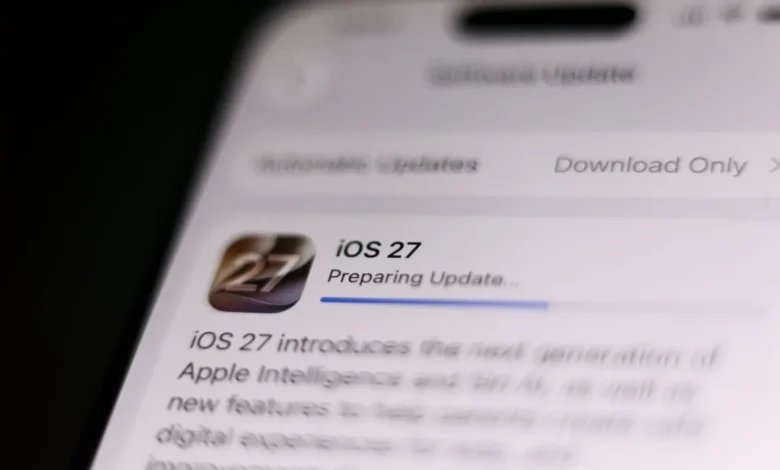
As the technology landscape continues to adjust to the fresh arrivals of the iPhone 18 Pro, iPhone 18 Pro Max, and the highly anticipated iPhone Duo, Apple is quietly preparing its next major software rollout. iOS 27.2 is currently making its way through the developer and public beta testing pipelines, promising a robust array of features, essential bug fixes, and long-overdue interface modernizations. Following Apple’s high-profile hardware event in September, where several of these software elements were first teased, the forthcoming update aims to tighten the integration across the company’s ecosystem while introducing powerful contextual capabilities driven by Apple Intelligence.
The software update arrives at a crucial juncture for Apple. With competing hardware ecosystems from Google and Samsung pressing hard on the artificial intelligence front, Apple’s incremental updates are increasingly judged by their ability to close feature gaps while maintaining the privacy and user-experience standards consumers expect. iOS 27.2 tackles this dual mandate head-on, offering upgrades that range from practical productivity tools and interface overhauls to fun, community-focused additions for daily communication.
Expanding Dual Capture to Group FaceTime Calls
One of the most notable multimedia enhancements arriving in iOS 27.2 involves Apple’s Dual Capture technology. Originally introduced to give users with compatible iPhone hardware the ability to simultaneously record video utilizing both the rear main camera and the front-facing selfie camera, the feature quickly became a favorite for content creators and vloggers looking to capture both their reaction and their environment at the exact same moment.
Apple later expanded Dual Capture into FaceTime, allowing individuals on one-on-one video calls to stream perspectives from both cameras concurrently. However, the limitation remained that group calls were restricted to single-perspective feeds per participant. According to reports from beta testers and development trackers at 9to5Mac, iOS 27.2 removes this restriction, enabling Dual Capture functionality during Group FaceTime calls.
This enhancement transforms group virtual hangouts, family catch-ups, and collaborative remote meetings by allowing users to share their immediate physical surroundings while keeping their facial expressions visible in real time. Industry analysts note that as mobile hardware processors become increasingly capable of handling complex simultaneous video encoding without thermal throttling or severe battery drain, features leveraging multi-camera setups will likely become standard expectations for flagship mobile devices.
A Complete Visual and Functional Overhaul for the Health App
First previewed during Apple’s September hardware showcase alongside the iPhone 18 lineup, the redesigned Health app is finally slated for a public release via iOS 27.2. The application, which serves as the central hub for users tracking clinical data, fitness milestones, sleep metrics, and daily activity rings, has received its most significant architectural restructuring in years.
Rather than presenting a sprawling, single-feed layout that often required users to dig deep through sub-menus to locate specific data points, the new Health app organizes its vast repository into three distinct, streamlined tabs: Insights, Longevity, and Browse.
The Insights tab functions as the dynamic, real-time dashboard for the user. It aggregates immediate vitals, current heart rate variability, blood oxygen metrics, and urgent health notifications into an easily readable format. By placing the most relevant current data front and center, users can quickly assess their immediate physical status without unnecessary navigation.
Meanwhile, the Longevity tab addresses a growing consumer demand for long-term health trending rather than short-term tracking. This section visualizes how health metrics evolve over extended periods—months and years—allowing users and, by extension, their healthcare providers, to identify gradual shifts in cardiovascular fitness, sleep quality, and metabolic indicators. Finally, the Browse tab retains the comprehensive, categorized directory of every health data type recorded by the iPhone, Apple Watch, and third-party connected medical devices.
The structural redesign reflects Apple’s broader strategic pivot toward preventive healthcare and long-term wellness metrics, moving beyond simple step-counting and workout logging to provide actionable, longitudinal health intelligence.
Intelligence-Powered Suggestions Finally Arrive in Messages
Perhaps the most culturally significant software addition in iOS 27.2 is the integration of context-aware Suggestions within the native Messages application. Designed to harness the processing power of Apple Intelligence, this feature scans ongoing text conversations locally on the device to surface relevant, one-tap actions and information.
For example, if a contact mentions a specific date and time for dinner, a meeting, or a social gathering, Messages will automatically prompt the user with a single-tap option to create a calendar event or set a contextual reminder. Furthermore, the system can intelligently surface relevant photos, shared locations, contact cards, and historical chat links that pertain directly to the ongoing dialogue, significantly reducing the friction of hunting through past media archives to answer simple questions.
The road to this feature’s release has been somewhat winding. Industry trackers noted that Suggestions was originally bundled into early developer builds of the initial iOS 27 beta cycle before being abruptly pulled by Apple engineers for additional polish and optimization. Its re-introduction in the iOS 27.2 beta cycle suggests that Apple is now confident in the feature’s reliability, context-recognition accuracy, and privacy-preserving execution.
The rollout also highlights a persistent narrative in the mobile technology sector: Apple playing catch-up to its primary Android competitors. Equivalent contextual AI tools have been staples of rival ecosystems for multiple generations. Google’s Pixel series utilizes a deeply integrated system known as Magic Cue, while Samsung’s Galaxy devices employ a comparable tool called Now Nudge. By bringing Suggestions to iPhones equipped with Apple Intelligence capabilities, Apple is closing a noticeable parity gap, ensuring that its users have access to the same level of proactive, predictive text assistance expected from modern flagship smartphones.
Revamped ‘Up Next’ Queue in Apple Podcasts
Audio enthusiasts and podcast listeners will find meaningful quality-of-life adjustments in the Apple Podcasts app with the arrival of iOS 27.2. Responding to long-standing user feedback regarding the management of downloaded and queued audio, Apple is splitting the traditional "Up Next" section into two distinct, dedicated navigational areas.
In the updated interface, the primary "Up Next" slot will be replaced by a dedicated "New Episodes" section. This area serves as a chronological feed showcasing the most recent releases strictly from the podcasts to which the user is actively subscribed. This ensures that new content from favorite creators is never buried beneath manually queued episodes or unfinished back-catalog listens.
Positioned directly beneath New Episodes is a brand-new section titled "Continue Playing." This area specifically houses the active listening queue—the episodes the user has already started but not yet finished, along with manually prioritized tracks awaiting playback. By decoupling unlistened new drops from active queues, Apple Podcasts provides a cleaner, more intuitive management experience for power listeners who juggle dozens of different shows concurrently.
Subtle Personalization: Anniversaries via Call Context
While major feature overhauls capture headlines, minor touches often define the day-to-day user experience. iOS 27.2 introduces a charming, context-driven addition known as Anniversaries via Call Context.
Integrated quietly into the system’s telephony framework, this feature cross-references incoming calls with important dates—such as wedding anniversaries, birthdays, or significant professional milestones—stored within specific contact cards. If an individual calls on a date designated as an anniversary, a subtle, contextual prompt appears on the call screen reminding the user of the occasion.
While not a revolutionary technological leap, tech commentators have pointed out that such features reduce social friction and capitalize on the deep web of personal metadata users already maintain within their digital address books, adding a human-centric touch to routine device interactions.
User Profiles Finally Come to the Apple TV App on iOS
Perhaps one of the most baffling omissions in the history of Apple’s mobile software ecosystem has been the absence of multi-user profile support within the Apple TV app on iOS and iPadOS. While tvOS users on the Apple TV set-top box have enjoyed separate user profiles—complete with individualized watch histories, personalized algorithmic recommendations, and curated up-next lists—for years, iPhone and iPad users sharing a household have been forced to contend with a single, blended profile.
With the rollout of iOS 27.2, Apple is finally rectifying this limitation. iPhone users will now be able to switch between user profiles within the mobile Apple TV app, ensuring that algorithmic recommendations remain tailored to individual viewing tastes rather than contaminated by shared household viewing habits.
This update arrives concurrently with industry speculation that Apple is preparing to launch a new, dedicated smart home display and updated Apple TV hardware in early October. Bringing profile parity across mobile and home-entertainment hardware solidifies Apple’s ecosystem cohesion, making the transition from pocket devices to living room displays seamless.
Implications and Release Timeline
As iOS 27.2 progresses through its final beta phases, the overarching implication for consumers is clear: Apple is focusing its development energy on deepening intelligence integration, cleaning up interface logic, and refining cross-device consistency.
While the headline-grabbing features like Group FaceTime Dual Capture and the redesigned Health app showcase Apple’s continued investment in cutting-edge hardware utilization and wellness tech, the inclusion of features like Messages Suggestions and Apple TV user profiles demonstrates a pragmatic willingness to adopt industry standards and correct long-standing software oversights.
Public release dates for iOS 27.2 have not been officially pinned down by Apple, but traditional software development cycles suggest a rollout to compatible iPhones will occur in mid-to-late October, closely following the commercial availability of the iPhone Duo and the anticipated autumn hardware expansion. Users enrolled in the Apple Beta Software Program can preview these features immediately, while the general public can expect an automatic notification to update their devices in the coming weeks.