
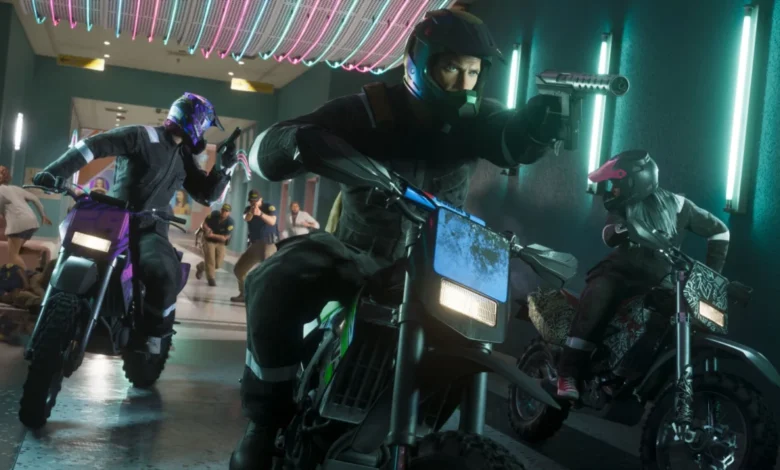
The release of Grand Theft Auto 6 represents the most significant milestone in the history of Rockstar Games, following an anticipation period that spanned over a decade since the launch of its predecessor. As players begin to navigate the sprawling, highly detailed map of Leonida, mastering the intricacies of the control scheme has become a prerequisite for navigating the game’s complex systems. While the core gameplay loop of vehicular theft, mission completion, and open-world exploration remains consistent with the franchise’s legacy, the inclusion of nuanced, hidden control inputs provides a deeper level of immersion and tactical advantage. These mechanics, often buried within the game’s extensive settings and complex button mapping, allow for a refined interaction with the virtual environment.
The Evolution of Interaction in Open-World Design
The transition from Grand Theft Auto V to the sixth installment marks a shift toward hyper-realism. Rockstar Games has invested heavily in engine capabilities that favor granular interactions over broad, generalized commands. In historical context, the franchise moved from the top-down perspective of the late 1990s to the cinematic, third-person-shooter standard established in 2004. With the current iteration, the focus has shifted toward "emergent gameplay," where the world reacts to the player based on specific button inputs rather than just scripted events.
Data from the developer’s initial technical showcases suggests that Leonida is roughly 40% larger than Los Santos, necessitating more sophisticated movement and interaction tools. The following controls are designed to optimize the player’s ability to manipulate this environment, whether through tactical evasion or social provocation.
Advanced Vehicular Management and Evasion Tactics
Navigating the dense traffic and law enforcement response systems of Leonida requires more than basic steering. Players can utilize an automated driving mode to traverse long distances across the state. By setting a destination waypoint and initiating the sequence—holding the down arrow on the D-Pad followed by the Option button—the game enters a cinematic mode. Engaging the Circle button subsequently activates an auto-drive feature, allowing the vehicle to navigate toward the waypoint while the player observes the world.

For those attempting to evade law enforcement, the "duck" mechanic remains a critical, albeit underutilized, feature. Holding the Circle button while behind the wheel lowers the character’s profile, significantly reducing the likelihood of being spotted by patrol units. This, paired with the rear-view mirror functionality—activated by holding the R3 button—provides a tactical advantage during high-speed chases. These controls reflect Rockstar’s commitment to providing players with authentic "heist movie" dynamics, where visual concealment is as vital as pure speed.
Social and Environmental Interactions
The depth of NPC (Non-Player Character) interaction in the game is bolstered by specific, context-sensitive commands. Players can engage in aggressive social posturing by holding the L2 button while targeting an NPC and pressing R1 to perform a gesture. This action is context-dependent and serves as a precursor to combat, emphasizing the game’s "cause and effect" philosophy. Conversely, the game allows for passive observation. By holding the Circle button near a wall or the L3 button near a ledge, players can sit or lean, providing a window to overhear NPC conversations. These conversations often contain narrative cues, hints regarding side quests, or economic intelligence that can be leveraged for in-game profit.
The implementation of these features aligns with the studio’s ongoing pursuit of "living world" technology. Industry analysts note that such granular control inputs are intended to increase the "dwell time" of players within the game world, encouraging them to engage with the environment rather than rushing through primary objectives.
Specialized Mobility and Combat Mechanics
The integration of melee combat while mounted on a motorcycle introduces a tactical layer reminiscent of classic arcade-style racing games. By pressing the Square button, the character can strike nearby targets, a move that is adaptable to four-wheeled vehicles, where the same input allows for the opening of doors to strike pedestrians or rival drivers.
Furthermore, the "hood slide" mechanic—executed by pressing the X button while sprinting toward a vehicle—provides a fluid, cinematic transition into the driver’s seat. This animation not only saves time but serves as a testament to the game’s motion-capture fidelity. The shift in animation priority suggests that Rockstar intends to bridge the gap between cutscene quality and real-time player control, ensuring that every movement feels deliberate and weighted.

Tactical First-Person Observation and Vehicle Customization
While primarily a third-person experience, the game incorporates a limited first-person mode, accessible by holding L2 and clicking R3. This mode is specifically engineered for environmental investigation. In internal testing, players utilized this perspective to uncover hidden assets within interior locations, such as the widely discussed residential properties in the game’s northern districts. Although movement is restricted in this mode, the increased visual fidelity allows for the examination of small-scale clues that are otherwise obscured in the standard camera view.
Vehicle customization also extends to on-the-fly modifications. By holding the left arrow on the D-Pad and manipulating the right stick, players can toggle hazard lights, manage window positions, and control high-beam headlights. These features serve to enhance the "roleplay" aspect of the game, providing a layer of realism that appeals to the franchise’s dedicated user base. For those operating emergency vehicles, the ability to cycle through siren patterns—by holding L3 and moving the left stick upward—adds a functional utility to stolen assets, aiding in the clearing of traffic during high-stakes missions.
Implications and Industry Impact
The inclusion of these hidden controls highlights a broader trend in AAA game development: the move toward "un-tutorialized" depth. By keeping these controls optional, Rockstar Games maintains a low barrier to entry for casual players while offering a high ceiling for those seeking mastery. According to development logs, the decision to hide these inputs in sub-menus and context-sensitive prompts was intentional, aimed at rewarding exploration and experimentation.
The implications for the gaming industry are significant. As titles grow in scope and complexity, the ability to hide advanced mechanics behind subtle inputs prevents UI (User Interface) clutter, which has been a recurring criticism in modern open-world design. By relying on intuitive button combinations, the developers have successfully streamlined the player’s agency.
As the community continues to document these interactions, it is expected that further hidden mechanics will be discovered. These controls are not merely aesthetic; they are functional components of the game’s economy and combat systems. For the average player in Leonida, understanding the difference between a standard drive and an auto-drive, or knowing how to effectively use a rear-view mirror during a pursuit, will prove to be the difference between mission success and total loss. As Rockstar Games continues to support the platform with updates, the mastery of these fundamental, yet often overlooked, controls will likely remain the gold standard for high-level play within the GTA 6 ecosystem.